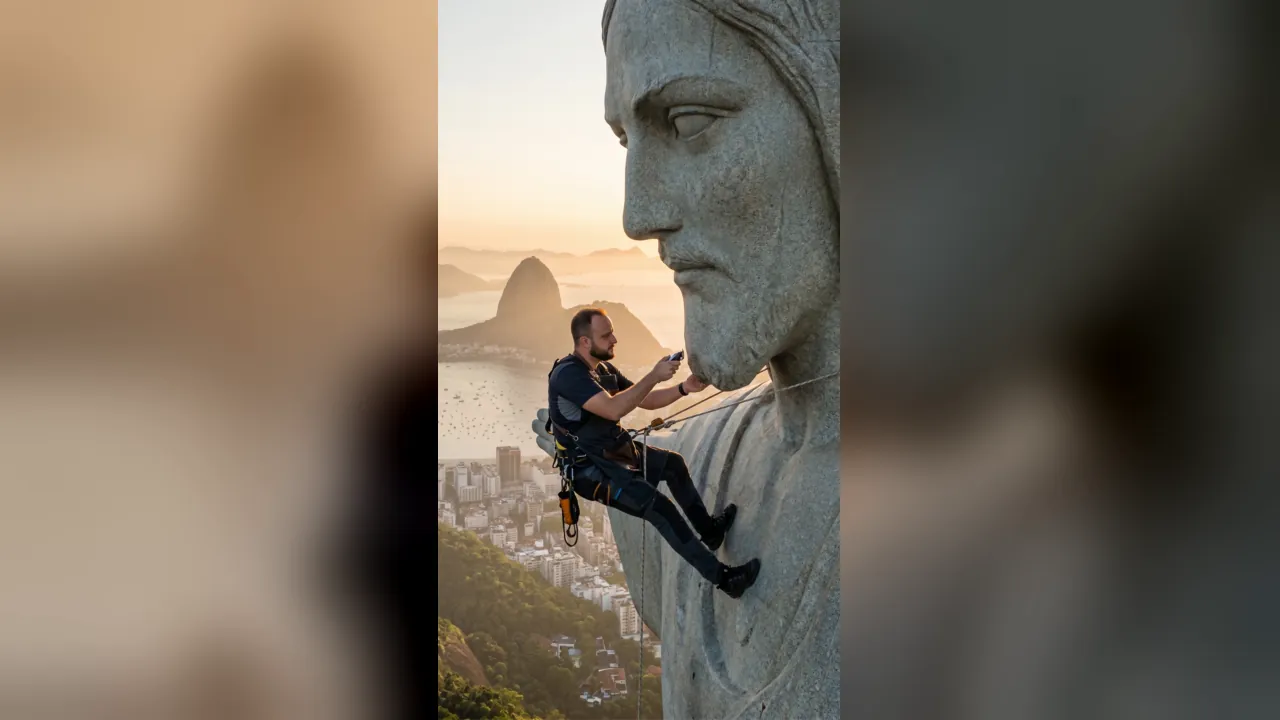
Show escondido dentro do produto
A trend viral de VFX impossível: a câmera entra dentro de um produto (fone, copo, garrafa) e revela um show de festival lá dentro. Dois prompts: imagem no ChatGPT Image 2 + animação no Dreamina Seedance 2.0.
↑ Resultado real gerado com os 2 prompts abaixo. Clique no ícone pra ouvir o áudio.
Passo 1 — Gerar a IMAGEM do produto no ChatGPT Image 2
Transform this [PRODUTO — ex: Sony WH-CH720N headphone] photograph into a premium product commercial still image. Remove the hand and arm completely.

CRITICAL — LOGO ACCURACY: On the [LOCAL DO LOGO — ex: left side of the headband], render the [MARCA — ex: Sony] brand logo with absolute precision. The logo must read "[MARCA]" — exactly the letters of the brand name in that order, no other characters, no extra letters, no reversed or mirrored text. Clean sans-serif uppercase font, matte silver embossed finish on matte black plastic. Double-check the spelling.

The [PRODUTO] floats elegantly in mid-air, slightly tilted at a 3/4 angle showing the brand logo clearly and legibly.

Studio lighting: deep matte black backdrop with subtle gradient. A cool blue rim light traces the outline of the product, with a warm amber accent light hitting it from below to highlight texture. Soft volumetric haze drifts horizontally across the lower third of the frame.

Subtle reflection beneath the floating product on a polished obsidian surface. Ultra-sharp focus on the branding and matte plastic texture. Color grading: cinematic teal-and-orange, high contrast, shallow depth of field. Aspect ratio 9:16.

Style: Sony / Bose / Apple flagship product launch photography, hyperrealistic, commercial grade, 8K detail. The brand letters must be perfectly legible — this is the brand identity and cannot be wrong.
Importante: Troque [PRODUTO], [MARCA] e [LOCAL DO LOGO] pelo seu produto. Sobe uma foto real do produto antes de colar o prompt — o ChatGPT usa como referência visual.
Passo 2 — Animar com show interno no Dreamina Seedance 2.0
@Image1 as the first frame. Generate a 10-second hyper-viral cinematic video revealing a hidden miniature concert inside the [PRODUTO — ex: Sony headphone].

0–2s: Static hero shot exactly matching @Image1 — the floating [PRODUTO] in dark atmospheric haze with blue rim light and warm amber accents. Subtle slow drift of the camera. Faint muffled bass music can be heard, as if leaking from inside the product. The surface begins to pulse rhythmically, almost imperceptibly, like it is breathing in sync with the bass.

2–4s: Camera initiates an aggressive push-in toward the [PARTE DO PRODUTO — ex: left ear cup's circular speaker grill]. Thin cracks of vibrant magenta and electric blue light begin to seep out from between the seams. The bass builds louder, low frequencies rumble. Tiny particles of light start to escape through the cracks and float upward.

4–5s: TRANSITION — the camera passes directly through the surface of the product. The black material dissolves into glowing particles that swirl past the lens. Audio breakthrough effect: muffled bass suddenly becomes crystal clear, full spectrum music explodes in.

5–8s: INTERIOR REVEAL — we are now inside a massive miniature concert arena contained within the product. A small holographic stage glows in the center with translucent magenta and cyan laser beams cutting through atmospheric purple haze. A miniature crowd of tiny silhouetted figures (no visible faces, only backlit silhouettes) jumps in unison with arms raised. Confetti and light particles rain from above. The camera flies low over the crowd in a smooth swooping motion, weaves around the stage, then orbits 180° capturing the full scale and energy of the impossible space.

8–10s: Camera retreats rapidly back through the product surface, which reseals into solid matte black as it passes. We return to the original hero shot composition of @Image1. The last laser flash dissipates into the haze. Product settles. Frame holds clean and silent for ending overlay.

Camera language: cinematic motorized gimbal feel. Smooth extreme push-in, surface-piercing transition, low flyover, 180° orbit, rapid pull-back. No shake, no cuts — one continuous take.

Lighting: exterior matches @Image1 exactly (cool blue rim + warm amber accents on dark backdrop). Interior shifts to vibrant magenta and cyan laser-lit concert atmosphere with volumetric purple haze and stage spotlights.

Audio:
- 0–2s: distant muffled bass thumping as if heard through a wall
- 2–4s: bass builds, low rumble grows, anticipation
- 4–5s: sharp audio "breakthrough" — sudden clarity, crowd roar underneath
- 5–8s: full electronic concert audio with driving kick drum, synth lead, crowd cheering, laser sound effects
- 8–10s: audio retreats and becomes muffled again as camera exits, fades to silence

Style: cinematic 2.35:1 letterbox feel within 9:16 vertical frame, film grain, shallow depth of field, high contrast, hyperrealistic exterior + stylized neon concert interior. Premium commercial production value. No human faces visible — crowd is silhouettes only.

Inspiration: think Marvel "Ant-Man" scale-shift moments meets high-end music festival aftermovies.
Importante: Sobe a imagem gerada no Passo 1 como @Image1 no Dreamina antes de colar este prompt. Troque [PRODUTO] e [PARTE DO PRODUTO] consistentes com o que você usou no Passo 1.
Dica geral: os trechos entre [COLCHETES] são pra você trocar pelo seu contexto antes de enviar.
Passo a passo (siga na ordem)
Não pule etapas. Tá escrito do jeito que você só precisa seguir.
- 1
ESCOLHA UM PRODUTO COM SUPERFÍCIE CIRCULAR OU CÔNCAVA. Funciona perfeito com: fone de ouvido, copo, garrafa, lente de câmera, alto-falante, taça, perfume. NÃO funciona bem com: produtos retangulares planos (caderno, livro, tablet) — não tem 'porta de entrada' visual.
- 2
TIRA UMA FOTO REAL DO PRODUTO. Sem fundo bagunçado. Pode ser foto do celular mesmo. Vai servir de referência pro ChatGPT entender o formato exato.
- 3
ABRE O CHATGPT PLUS (versão paga). Vai em criar imagem (Image 2).
- 4
FAZ UPLOAD DA FOTO DO PRODUTO no chat. Depois cola o 'Passo 1 — Gerar a IMAGEM' acima.
- 5
TROCA OS [COLCHETES] no prompt: [PRODUTO], [MARCA] e [LOCAL DO LOGO]. Exemplo: produto = 'Heineken bottle', marca = 'Heineken', local do logo = 'front label'. Se for um fone Sony, mantém igual ao prompt original.
- 6
GERA. ATENÇÃO ESPECIAL AO LOGO: se sair com letra errada (tipo 'YONO' ao invés de 'SONY'), peça: 'regenerate, the logo must be exactly [MARCA] spelled letter by letter [S-O-N-Y]'. Pode levar 2-4 tentativas pra acertar o logo.
- 7
BAIXA A IMAGEM HERO quando ficar boa. Guarda no celular ou PC.
- 8
ABRE O DREAMINA pelo meu link (https://bit.ly/cirogestor). Faz login. É grátis pra começar.
- 9
MODO IMAGE-TO-VIDEO. Seleciona o modelo Seedance 2.0 (o grande, não o lite). Duração 10 segundos. Aspecto 9:16 vertical.
- 10
SOBE A IMAGEM do passo 7 como referência (@Image1). Cola o 'Passo 2 — Animar' no campo de prompt.
- 11
TROCA OS [COLCHETES] no prompt do vídeo CONSISTENTES com o passo 1. Se você fez fone, mantém 'headphone'. Se fez garrafa, troca pra 'bottle' e ajusta a parte (ex: 'bottleneck').
- 12
GERA. Demora 2-4 minutos. O Seedance vai criar o efeito de câmera entrando no produto, mostrando o show, e saindo.
- 13
BAIXA O VÍDEO. Se ficar estranho (efeito do show não aparecer, câmera não entrar), gera de novo — Seedance tem variação. Pode levar 2-3 tentativas pra sair o vídeo perfeito.
- 14
POSTA NO REELS COM ÁUDIO. Esse vídeo precisa de som — o efeito 'audio breakthrough' (bass abafado → explosão de festa) é metade da viralização. Pede pro espectador colocar som na primeira frase do voiceover.
Tags
Esse prompt roda no Dreamina (Seedance 2.0)
Plataforma da ByteDance (mesma do CapCut e TikTok). Tem versão grátis pra começar.
Link de parceria. Você não paga nada a mais.
Gostou desse prompt?
Me marca quando publicar no Instagram — adoro ver o que vocês criam. Pedidos de prompt? Manda DM com a palavra prompt.